

What happens when your company email gets blacklisted - and how long recovery really takes
By the SafePoint IT team · Managed IT & security since 2002 · 4 min...
Every email your team sends is a branding opportunity. When a recipient opens your message, your brand is in the spotlight — and the way your email is presented is a first impression you only get to make once. A professional, consistent email signature is one of the simplest, highest-leverage ways to make that impression count.
Email is still how most people want to hear from you. According to Marketing Charts, about 7 out of every 10 US email users prefer that businesses reach out to them by email, and personalized emails see a typical open rate of around 21% (Exclaimer). That means the signature at the bottom of every message is seen — a lot — and it quietly shapes how trustworthy and professional your company looks.
A poor or inconsistent signature works against you:
Done right, a managed signature does the opposite — higher response rates, one-click access to your contact details, a consistent brand on every device, and a built-in marketing channel on every email that leaves your company.
SafePoint IT believes in transparency about what we do behind the scenes to benefit your work processes. We help our clients create email signatures so that everyone representing your company looks professional, personalized, and on-brand. In this process we ensure signatures are consistent, all necessary information is included, and company-wide changes can be made quickly. It also replaces all those "sent from iPhone/Android" messages, and your signatures look the same on both mobile and desktop. We manage the entire organization's signatures, so none of your users ever have to create or update one themselves.
Here is the process we follow.
First, we email the client a template to collect employee information (we prepopulate it with whatever info we already have), such as the company's name, the employee's name, and phone number. We also offer assistance in completing the spreadsheet either via email or through a one-on-one session.
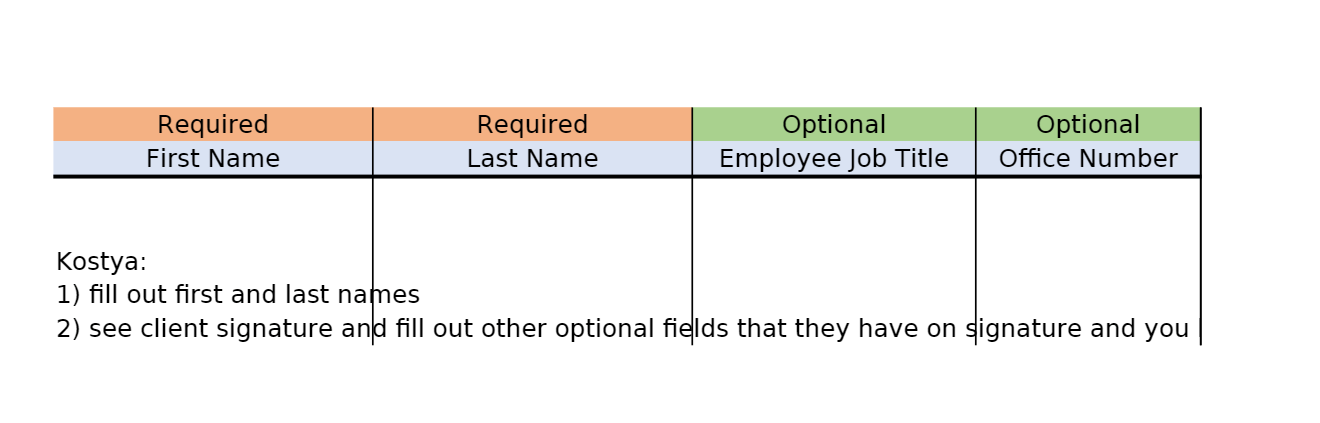
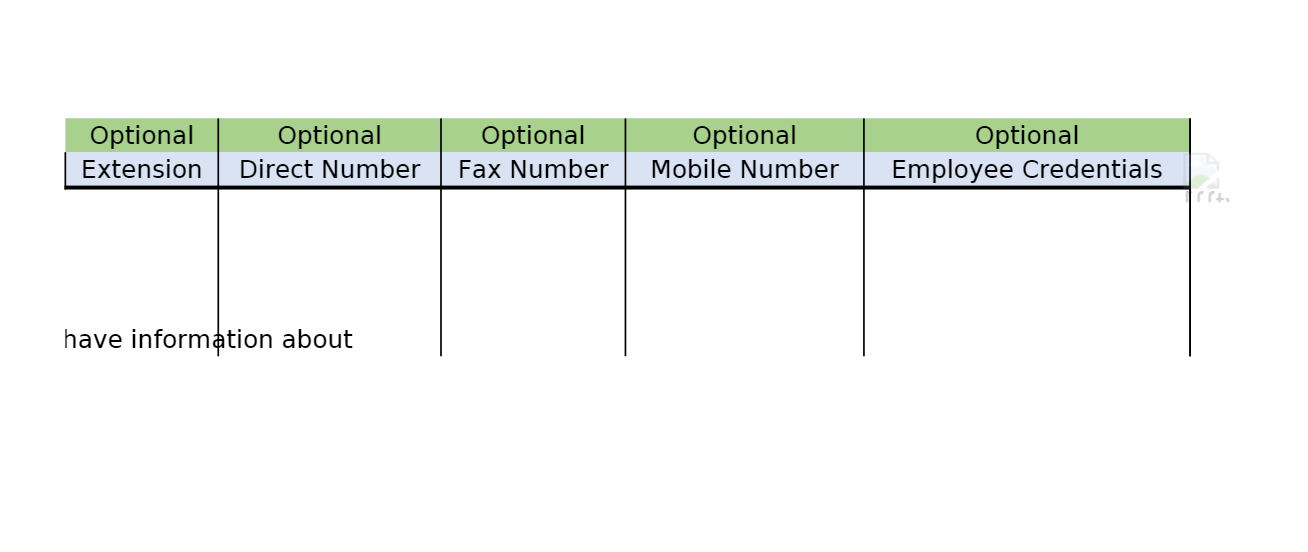
Once we receive the completed spreadsheet, we enter the information into the appropriate directory source — whether Microsoft 365 or Active Directory — depending on the client's IT environment.
We then create a couple of signature samples for the client to choose from. From there, the client selects a design or requests changes. Communication continues until the final design template is confirmed, along with the implementation date.
Once the design is finalized and approved, our team completes the signature template in the email signature management software, Exclaimer. We also double-check all contact and company info and test the signatures to confirm formatting across different mail platforms.
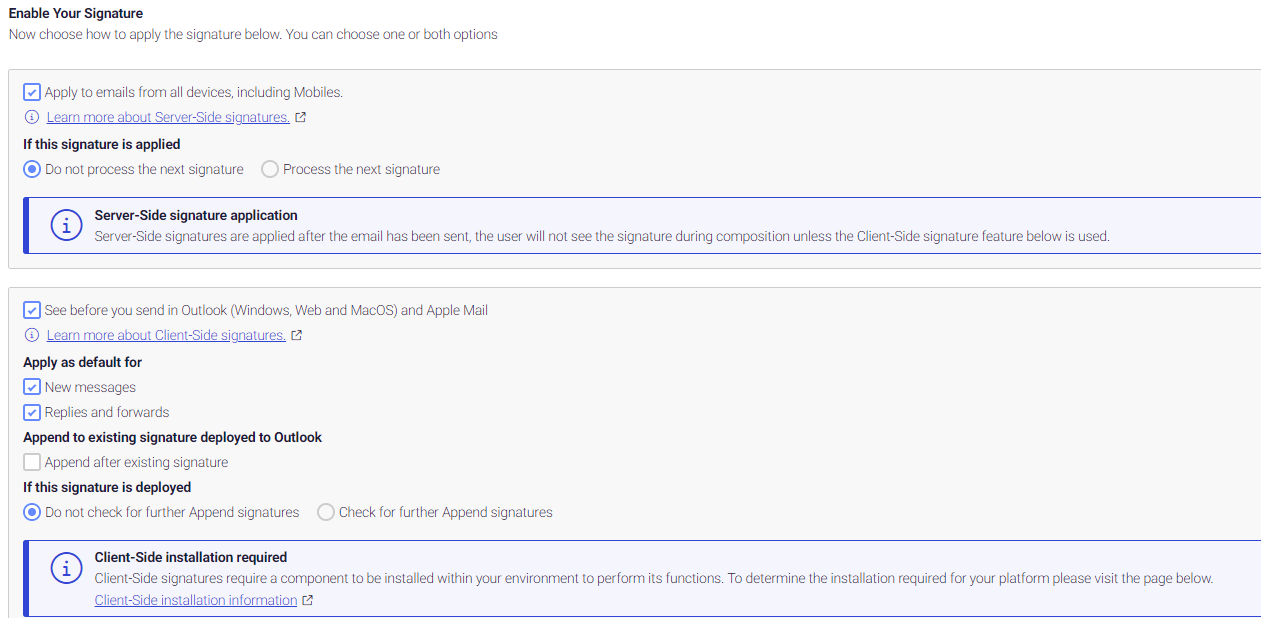
Our team enables signatures on both the server and client sides so they apply automatically from any device or computer. Users with the Exclaimer Cloud Signature Agent application installed (which we install) see their signature applied when creating or replying to emails. Those on a mobile device won't see it in real time, but it is applied automatically when the email is sent.
After setup is finished, we send a confirmation to the client/admin that the service is now live, and we assist with any troubleshooting or questions.
In conclusion, SafePoint IT provides a seamless, transparent process for creating professional, personalized email signatures so your company's brand is well represented in every email. By collecting employee information, integrating with directory sources, offering design options, and using Exclaimer for implementation, we ensure consistency, easy management, and a polished appearance across all devices.
Want consistent, professional email signatures rolled out across your whole team — without the headache? Contact SafePoint IT to get started.