

SafePoint IT Named to the 2026 Inc. 5000 List
SafePoint IT has been named to the 2026 Inc. 5000 list, the annual ranking of...
For the last couple of years, most people have used AI the same way: open a chat window, type a question, copy the answer back into whatever they were doing. Useful, but limited. You're still the one moving information between the AI and your actual systems.
That's changing fast. The newest shift is AI that connects directly to the software your business already runs (your CRM, your accounting platform, your phone system, your help desk) and does real work there. The technology making that possible has an unglamorous name: MCP servers. If you've heard the term and weren't sure what it meant or whether it matters to your business, this guide is for you.
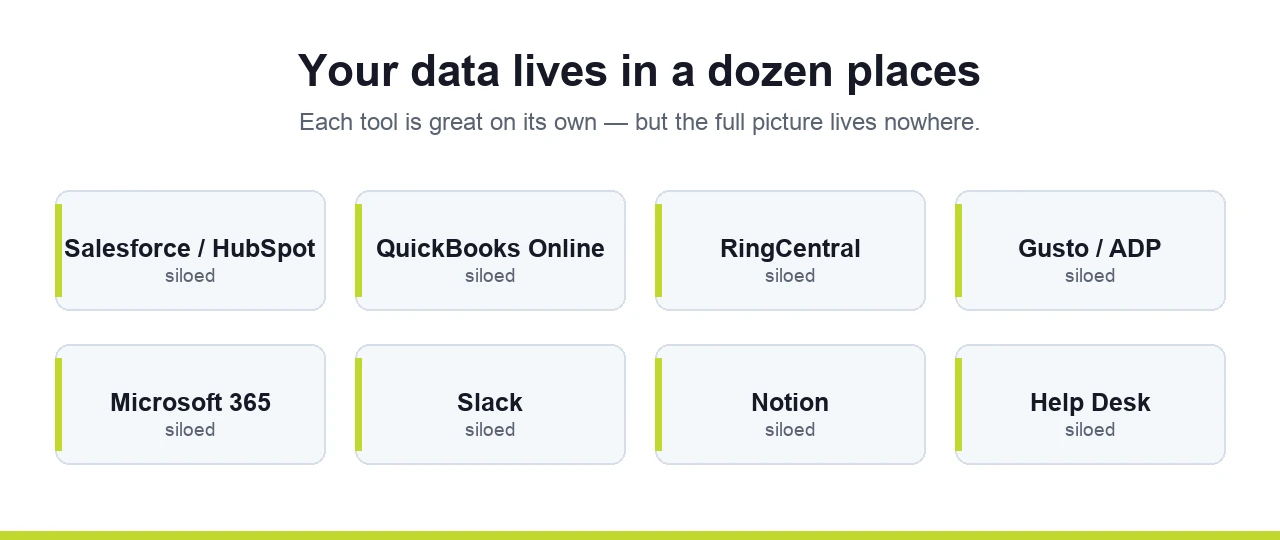
Most businesses don't have one system. They have ten. Sales lives in Salesforce or HubSpot. Money lives in QuickBooks Online. Calls run through RingCentral. Payroll is in Gusto or ADP. Email, files, and calendars are in Microsoft 365. The team coordinates in Slack and documents things in Notion.
Each of those tools is good at its own job. The trouble starts when you want a single, honest picture across all of them: "How many new orders came in yesterday, how fast did we respond, and what did that cost us?" Answering that usually means logging into four systems, exporting spreadsheets, and stitching them together by hand. Most owners just don't, so the picture never gets seen.
This is exactly the gap MCP servers are built to close.
MCP stands for Model Context Protocol. Skip the jargon and think of it as a universal translator between an AI assistant and one of your business systems.
Here's the idea. Nearly every modern business application has an API, a defined set of doors the software opens so other programs can ask it for data or tell it to do something. The API comes with documentation: essentially a library listing every request you're allowed to make ("here's how to ask for yesterday's invoices," "here's how to create a new contact"). It's powerful, but reading and using that documentation has always required a developer.
An MCP server does that translation work once, so the AI doesn't have to. Someone takes a system's API and packages it into a set of ready-made actions an AI assistant can understand and use on its own. After that, you stop writing code and start asking in plain English: "Pull every support ticket closed yesterday and tell me which ones took more than an hour to respond to." The AI uses the MCP server to go get it.
A useful way to picture it: it's like having a very smart junior analyst who already knows how to operate all your software. You talk to them normally ("build me this report," "check these numbers") and they go do it.
The honest answer most businesses are happy to hear: a lot, and you can start small.
The simplest, lowest-risk starting point is reading data and building reports. Connect an AI assistant to one system, ask it for the numbers you care about, and it produces a clean, formatted report, often as a polished web page you can read, save, or send to a client or your team. You can do this across multiple systems at once: pull operational data from your CRM, call stats from your phone system, and financials from your accounting tool, then have the AI combine them into one summary.
One realistic, repeatable example: every morning, an AI assistant reviews the prior day's activity in your systems (orders, support tickets, transactions) and checks it against your company's own standard procedures. Because you can give it your internal playbook, it doesn't just count things; it flags where steps were skipped, where response times slipped, and even where a specific person might need coaching. That's the kind of review that would take a manager hours, delivered before the first coffee.
There's one important thing to understand up front. The report you get is a snapshot of the moment it was created. The AI can pull fresh numbers any time you ask, but the file it hands you doesn't update itself. Want yesterday's report brought current with today's numbers? You ask again, or you schedule it to run on its own.
A lot of business owners hear the above and immediately picture the next step: a live dashboard my clients or team can log into, with a "refresh" button that pulls the latest data on demand.
That's absolutely possible, but it's a genuinely bigger project, and it's worth being clear-eyed about why. The moment you want logins, user accounts, a refresh button, and always-current data, you're no longer generating a report. You're building a software application. That means stored connections to each system, securely managed credentials, an authentication layer, and somewhere on the internet to host it all (a cloud platform like AWS or Microsoft Azure). AI can help build and deploy that, but it requires real planning, ongoing maintenance, and security decisions you don't want to improvise.
The smart path is almost always: start with the simple version, prove it's valuable, then graduate to the portal once you know exactly what you need. Walking before running here saves money and avoids building the wrong thing.
There's usually more than one way to connect to a given system:
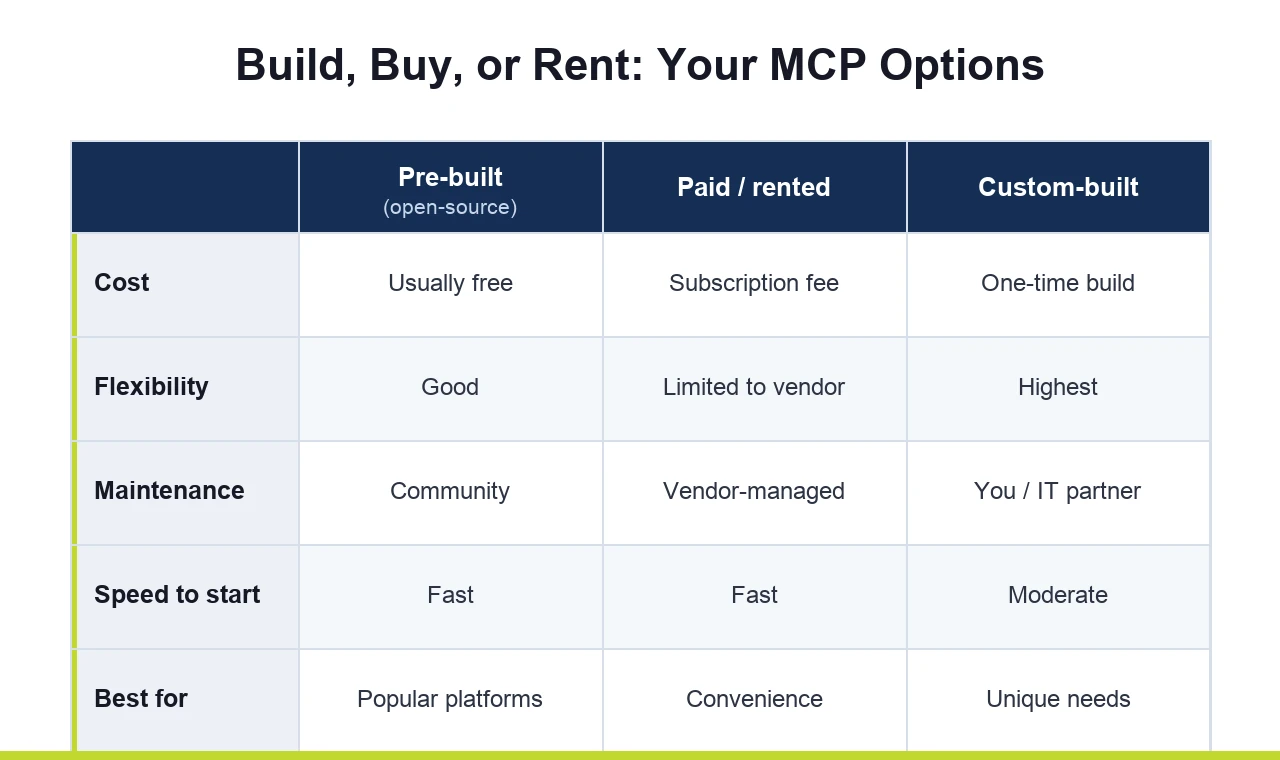
Pre-built, open-source MCP servers. For popular platforms, someone has often already built and published a connector. These are typically free. When choosing one, look for connectors that are widely used and actively maintained. That maintenance is what keeps a connector safe over time, so a popular, well-tended one is generally a safer bet than something obscure or abandoned.
Paid or "rented" connectors. Some platforms offer hosted connectors for a fee. They can be convenient, but they're often limited to whatever actions the vendor decided to build. If you need something they didn't include, you're stuck, and they can be slower. Convenience versus control is the trade-off.
Custom-built. If no connector exists for a system you use, one can be built specifically for your needs from that system's API. This is the most flexible option and, with modern AI tools, far more achievable than it used to be.
There's no universally "right" choice. It depends on which systems you use, how much you need them to do, and your appetite for maintenance.
This is where a casual experiment and a responsible business deployment part ways, and where most of the real risk lives.
API keys are passwords. Connecting an AI to a system means storing that system's credentials somewhere. On a single laptop running a local connector, those credentials often sit in a plain text file. If that computer is lost or compromised, the keys, and access to your business data, go with it. The risk multiplies the moment you try to give the same capability to a whole team by installing it on everyone's machine.
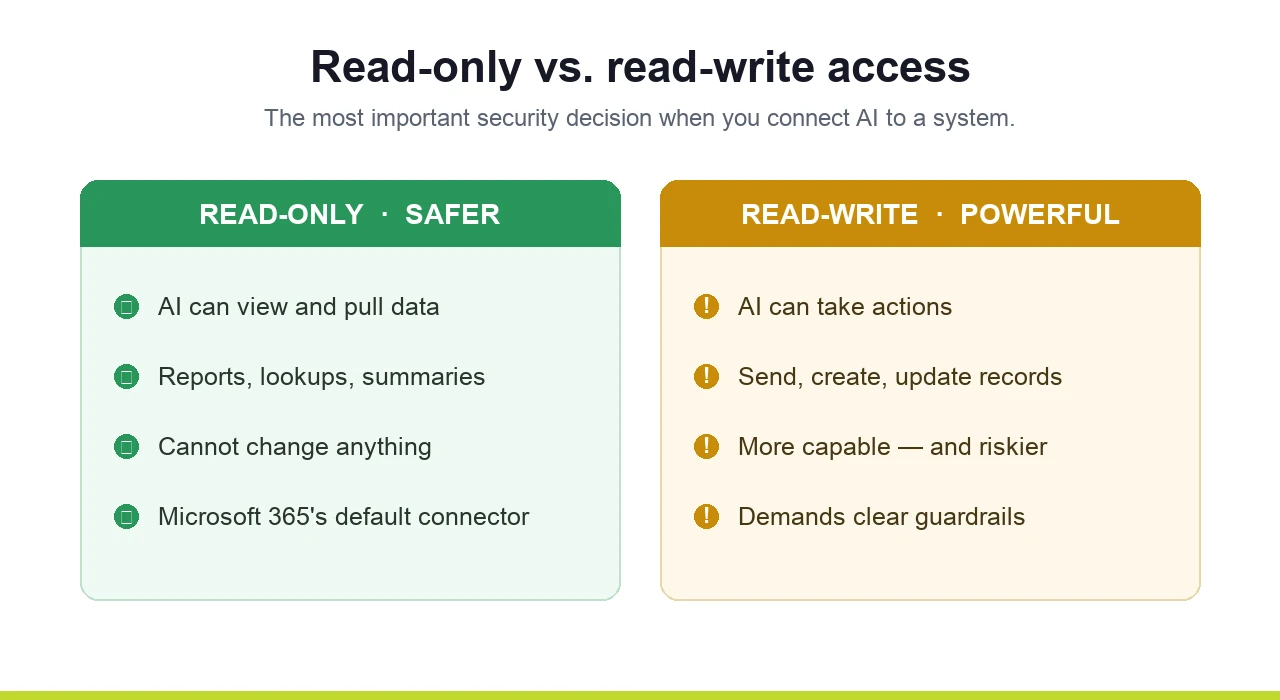
Read-only is safer than read-write. Many official, built-in connectors (Microsoft 365's, for example) are deliberately read-only. They'll let AI look at your data but not send emails or change things on your behalf. That's a security decision, and a sensible one. More powerful connectors can take actions (send messages, create tasks, update records) and that power cuts both ways. A poorly worded instruction given to an AI with write access can do real damage; there are well-known cautionary tales of automated agents deleting things they shouldn't have. The capability is fantastic. It also demands guardrails.
This is precisely the territory where doing it properly matters. Securely managing credentials, deciding what AI should and shouldn't be allowed to do, deploying connectors to a team without scattering passwords across every laptop, and protecting the line between "AI that reads" and "AI that acts" are not afterthoughts. They're the whole game. It's also the same concern behind a problem many leaders already worry about: employees pasting sensitive company data into public AI tools. Getting the governance right is what turns an exciting experiment into something you can actually run a business on.
If you've ever wished you could get a straight answer out of your systems without a half-day of spreadsheet wrangling, then yes, this is worth understanding. The barrier to entry has dropped dramatically. You no longer need to be a developer to connect AI to your tools and get genuine work out of it.
But "you can do it yourself" and "you should do it yourself, unmanaged" are different statements, especially once real customer data, credentials, and the power to take actions are involved. The businesses getting the most out of this are the ones treating it as part of a deliberate IT strategy, not a side experiment on someone's laptop.
That's where we come in. At SafePoint IT, this is exactly the kind of work our team does every day, and not theoretically. We use these tools internally to run our own operations, which means when we help a client, we're sharing what actually works, not what looks good in a sales deck.
Want to explore what AI could realistically automate in your business, safely? Start with a conversation through our managed IT services team or our IT strategy and consulting practice.
Worried about the security side, data leaving your control, credentials, who can do what? That's the heart of our cybersecurity work.
Curious for more? We break down practical, real-world AI for business in pieces like Microsoft Copilot Cowork Explained, and we went deep on this in our webinar, Beyond the Prompt: Agentic AI.
If you'd rather just talk it through with people who do this hands-on, contact us. No jargon, no pressure, just a straight conversation about whether this fits your business.