On November 25, 1Password published an update on the incident in its own systems. If your business uses 1Password, start with the most important part. Your vault was not touched. The passwords, the items stored in it and the keys that protect them stayed locked the whole time.
Some account details were taken, though, and that matters for the next few weeks. Here is what happened, why the vaults held, and what a small business should do now.
What happened
It started with one employee's work account on GitHub, the service where many software companies keep their code. On November 19, 1Password began investigating signs that someone else had gotten into that account.
According to 1Password, the attacker used that one account to:
- Copy source code from 1Password's private repositories.
- Get into the system 1Password uses to build and ship its software.
- Push their own code to 1Password's back-end servers. That code downloaded account records for some customers.
1Password hasn't said how the employee's account was taken over, how long the attacker had access, or how many customers were affected. It says only that it was a subset of customers.
What was taken, and what wasn't
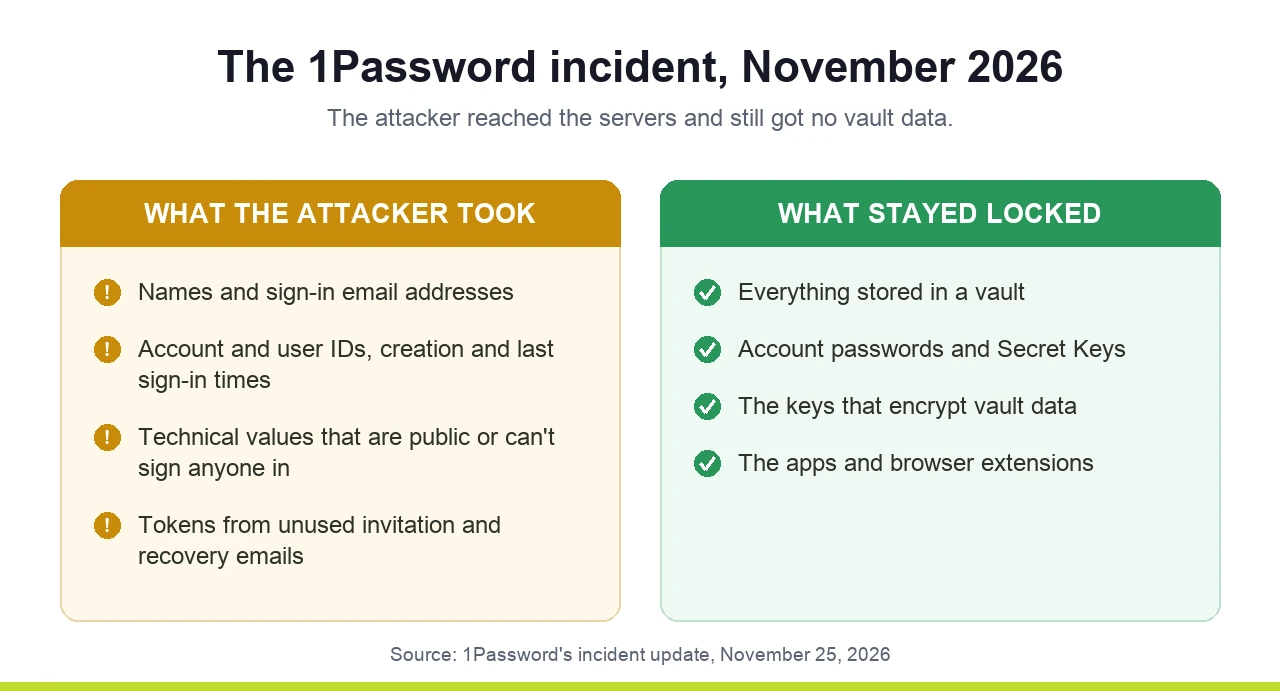
For the affected customers, 1Password lists these as exposed:
- Names and the email addresses used to sign in.
- Account and user IDs, when each account was created and when it last signed in.
- A few technical values that are either public by design or can't be used to sign in.
- Tokens from invitation, setup and account recovery emails that hadn't been used yet.
And these as safe:
- Everything stored in a vault.
- Account passwords and Secret Keys.
- The keys that encrypt vault data.
- The 1Password apps and browser extensions.
The tokens sound like the scary part. On their own they don't open anything. Finishing an invitation or a recovery still takes either a company single sign-on login or a code sent to the user's own email. 1Password made that code longer, from six digits to ten characters, and contacted the small group of people who had one of those links open at the time.
Why the vaults held
This is the part worth understanding, because it's the whole reason to use a well-built password manager.
1Password encrypts vault data on your own device. The key is built from your account password plus a Secret Key that 1Password never sees. Its servers only ever hold scrambled data. So an attacker who gets all the way into 1Password's servers, which is what happened here, still finds nothing they can read. 1Password has published how this works in its security design white paper.
Compare that with when LastPass was breached in 2022. There, attackers walked away with copies of customers' encrypted vaults. Those copies were still encrypted, but once they were out, the only thing protecting each one was the strength of that customer's master password. That's a much worse place to be.
In this incident the attacker reached the servers and the customer records, and still left without a single vault. The design did its job.
How 1Password handled it
A lot of this was done right.
- It went from first investigation to a public post in six days.
- It disabled the employee's account, revoked the stolen access and removed what the attacker had set up.
- It changed every internal credential that might have been exposed.
- It brought in outside security experts to check the cleanup.
- It reached out directly to the people whose invitation or recovery links were in flight.
There are still a few things we'd like to see in a fuller report:
- How the employee's account was taken over, and how long the attacker was inside.
- How code pushed from one account reached live servers without being stopped.
- How many customers were affected, and a way for business admins to check whether their account was one of them.
1Password says it will update its post if anything changes. We'll keep an eye on it. This isn't the company's first scare either. We covered a different 1Password scare in 2023, when the attack came through an identity provider.
What a small business should do now
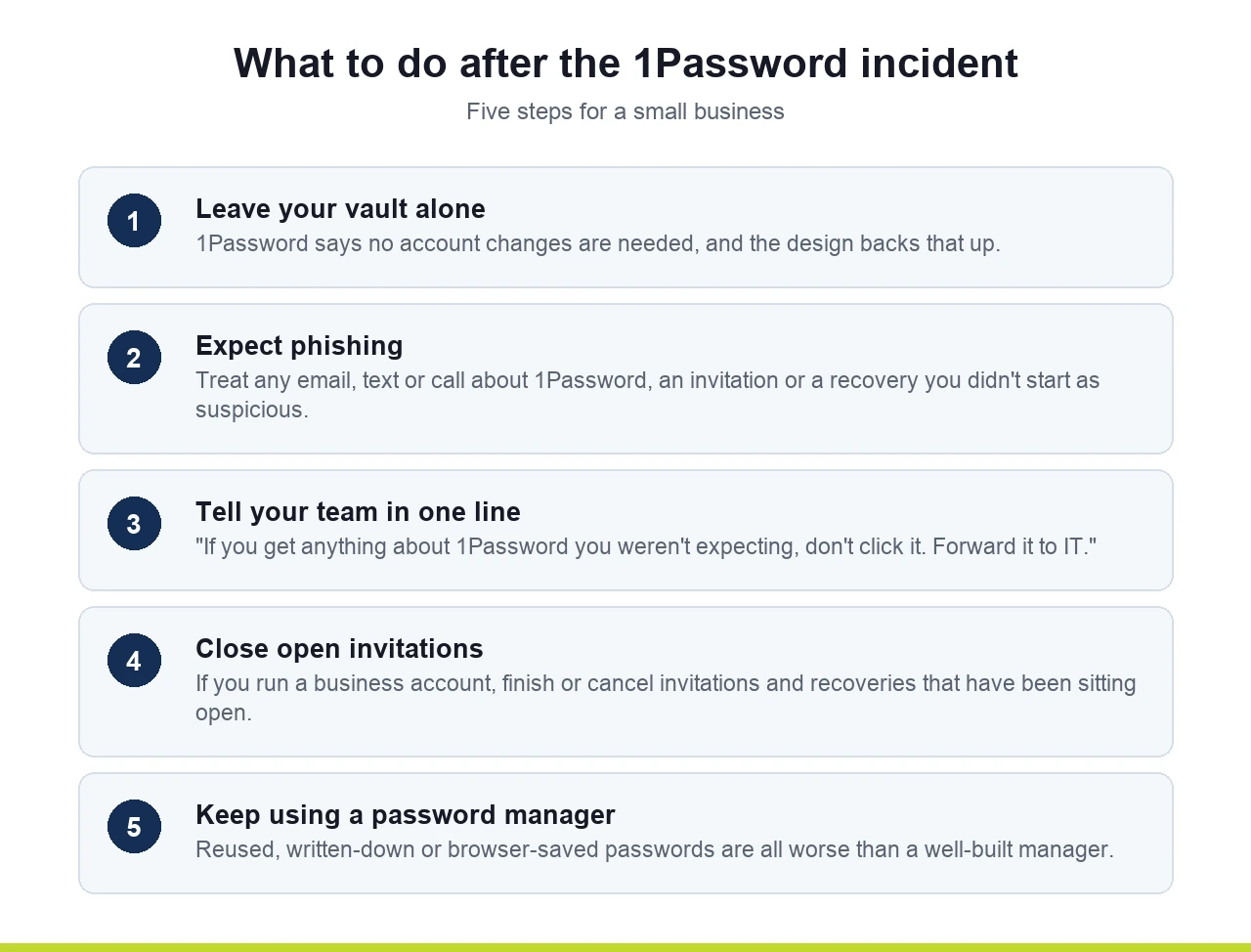
- Don't change anything in your vault because of this. 1Password says no action is needed there, and the design backs that up.
- Expect phishing. Names and email addresses of 1Password customers are now in someone else's hands. Over the next few weeks, treat any email, text or call that mentions 1Password, a shared vault, an invitation or an account recovery you didn't start as suspicious. 1Password will never ask for your account password or Secret Key. If something looks off, open the app yourself instead of clicking the link.
- Tell your team in one line. "If you get anything about 1Password you weren't expecting, don't click it. Forward it to IT."
- If you manage a business account, look for invitations or recoveries that have been sitting open. Finish them or cancel them.
- Keep using a password manager. A breach like this is an argument for a well-designed one, not against it. The alternatives are passwords reused across sites, written down, kept in a spreadsheet or saved in the browser, and every one of them is worse.
The lesson for every business
The attacker didn't break any encryption. They got into one person's account and used what that account could reach. Most small-business breaches start the same way, with one email account or one login.
So the habits that would have helped at 1Password are the same ones that help at a 20-person office. Protect every account with strong MFA, ideally the kind a phishing page can't capture (more on how attackers get past MFA). Limit what any one account can change on its own. And watch sign-ins closely enough to notice when an account starts acting like someone else is using it.
Where SafePoint IT comes in
We help businesses in the Chicago area pick a password manager that's built like this, roll it out to the whole team, and train people to spot the phishing that always follows news like this. If you'd like to talk through how your business stores and shares passwords today, book a 15-minute call.
Frequently Asked Questions
What happened in the November 2026 1Password security incident?
Were 1Password vaults or passwords stolen?
Do I need to change my 1Password password or Secret Key?
What 1Password data was exposed?
Is it still safe to use a password manager?
Start with a 15-minute call
Tell us a little about your business and we will get you booked in.

Managed IT, cybersecurity and AI for Chicagoland businesses of 10 to 100 people since 2002. Inc. 5000 in 2023, 2025 and 2026. How we work →