
If your business email is Microsoft 365 bought through GoDaddy, check one thing today. Can you still get into your own admin settings?
On November 18, 2026, GoDaddy added a note to its help center saying the Microsoft 365 admin center is now available only to organizations with 5 or more users. Smaller organizations will get access "later," with no date given. The same day, IT providers started reporting something bigger, that GoDaddy is pulling the Global Administrator role off customer admin accounts entirely.
Here is what we know, what we don't, and what to do about it.
What GoDaddy has confirmed
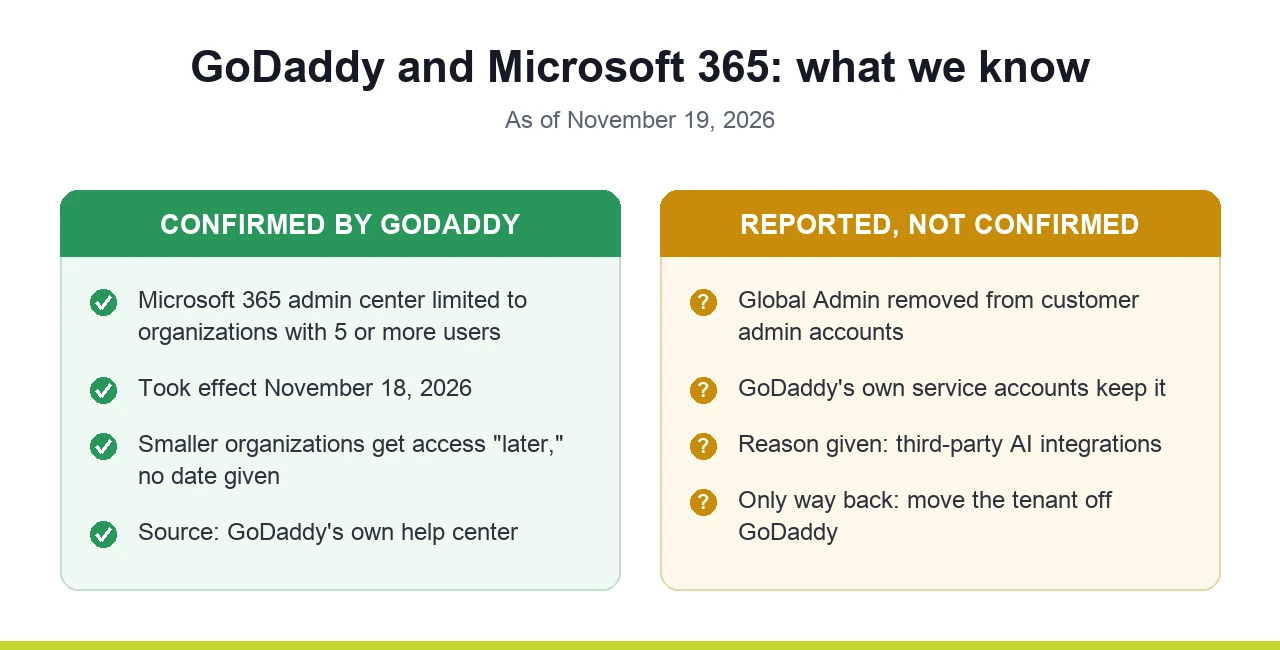
GoDaddy's help article on accessing Microsoft admin centers now carries a note dated November 18, 2026. The Microsoft 365 admin center is limited to GoDaddy customers with 5 or more users. Organizations with fewer users don't have it for now.
That is the only official statement we could find. There is no press release, no announcement, and no explanation of why.
What's being reported but not confirmed
On November 18, an IT provider posted in a large online community of managed service providers that GoDaddy support told them customer admin accounts can no longer hold the Global Administrator role. According to that post:
- The role was removed on existing GoDaddy tenants and won't be given on new ones.
- GoDaddy's own service accounts keep it.
- The reason given was to make room for third-party AI integrations.
- The only way back is to move the tenant off GoDaddy.
That comes from one provider's call with GoDaddy support. GoDaddy hasn't published it, and its own help page on admin permissions still says dashboard admins get the Global admin role. We'll update this article when we see it on a real tenant or GoDaddy says more.
What a Global Admin is, in plain terms
Microsoft 365 is more than email. It holds your users, passwords, files, Teams, and the security rules around all of them. The Global Administrator is the top role. Whoever has it can change anything.
Think of it as the master key to your office. Without it, you can still come to work every day. You just can't change the locks, and you don't decide who else gets a key.
Why it matters even if nothing looks broken
Email keeps working and people keep signing in. That's why most owners won't notice until the day they need something. Without full admin rights:
- You can't turn on or tighten security yourself, like requiring MFA for everyone or blocking the old sign-in methods attackers use (more on that in how attackers get past MFA in Microsoft 365).
- When an account gets hacked, the first hour matters. Signing the attacker out, resetting the account and locking things down can end up waiting in a support queue.
- Security, backup and compliance tools need admin approval to connect to your tenant.
- An IT provider can't be set up properly, because Microsoft's partner access has to be approved by a Global Administrator on your side.
- You can't fully see who and what has access to your mail and files.
Restricted admin access isn't new for GoDaddy customers. GoDaddy has always run its Microsoft 365 customers through its own simplified dashboard, and plenty of owners have found that the Microsoft admin center sends them back to GoDaddy. What changed this week is that the gap got wider.
How to check where you stand
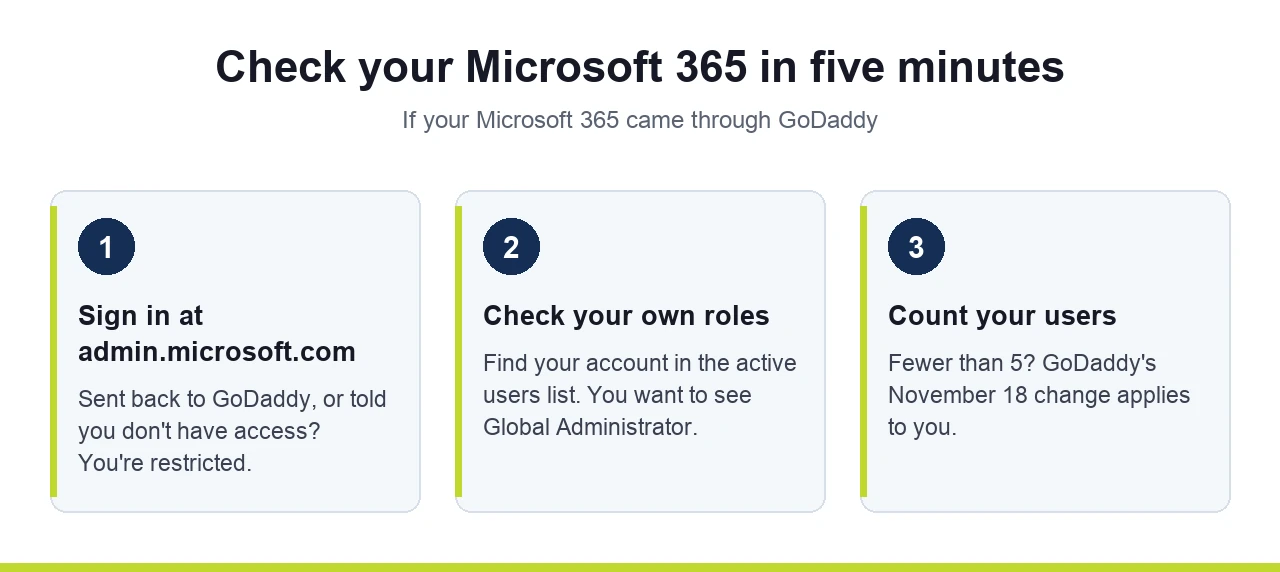
It takes about five minutes.
- Sign in at admin.microsoft.com with your admin account. If it sends you back to GoDaddy or says you don't have access, you're restricted.
- If you do get in, open the list of active users, find your own account, and look at its roles. You want to see Global Administrator.
- Count your users. With fewer than 5, GoDaddy's November 18 note applies to you.
What to do if you're restricted
The fix is moving your Microsoft 365 tenant off GoDaddy, so it's managed directly with Microsoft or through an IT partner. In the industry this is called defederation. Your mailboxes, files and users stay in the same tenant. What changes is who holds the keys.
It's a real project, not a switch, and GoDaddy's side of the process may change after this week's restrictions. Expect some back and forth with GoDaddy. A few things to know before you start:
- Don't cancel GoDaddy first. Cancelling pulls the licenses, and GoDaddy's offboarding can delete your users and take your domain off the tenant. Line up the new licenses and your own admin access first, then cancel.
- Expect every user to get a new password after the switch. Plan the cutover for a quiet evening, not a Monday morning.
- After the move, review what GoDaddy left behind. Leftover GoDaddy accounts and app permissions in the tenant should be checked and removed.
While you're in there, it's a good time for a Microsoft 365 license audit, so you don't carry licenses for people who left into the new setup.
Where SafePoint IT comes in
When we take on a new client whose Microsoft 365 came through GoDaddy, moving it off GoDaddy is part of our onboarding. We do it as early as the client's schedule allows, because nothing else on the security side works until the client holds the keys.
If you're not sure whether this change affects you, book a 15-minute call and we'll look at where your tenant stands together.
Frequently Asked Questions
Did GoDaddy remove Global Admin from Microsoft 365 accounts?
Why can't I access the Microsoft 365 admin center with GoDaddy?
What is defederation from GoDaddy?
Will I lose email if I move Microsoft 365 away from GoDaddy?
Can Microsoft support give me Global Admin on a GoDaddy tenant?
Start with a 15-minute call
Tell us a little about your business and we will get you booked in.

Managed IT, cybersecurity and AI for Chicagoland businesses of 10 to 100 people since 2002. Inc. 5000 in 2023, 2025 and 2026. How we work →